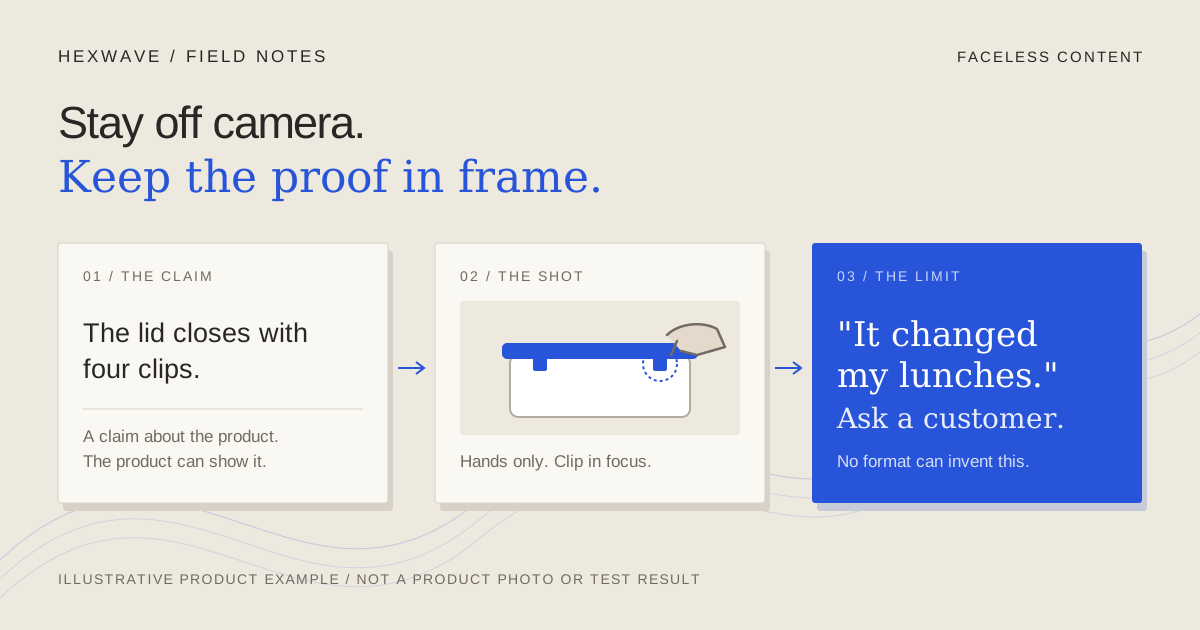
If you'd rather explain your product to a thousand strangers in writing than once to a phone camera, that's a workable preference. Most product content doesn't need your face. It needs the viewer to see enough to judge whether the claim is true.
Search for faceless content and you'll find two different businesses mixed together: people building anonymous channels to sell views or sponsorships, and brands selling an actual product. This guide is for the second. The question isn't how to grow an account nobody stands behind. It's which faceless format can carry what a particular post needs to prove, and when no format can carry it without a real person.
The short answer: choose the format by the claim, then check your assets. A hands-only demo can prove how a lid closes. A screen recording can prove that a reminder goes out on the date you chose. Neither can prove that a customer's mornings got easier. That claim belongs to a customer.
What a face was doing for you
When someone speaks to camera, the viewer gets several things at once. They see who is making the claim, so somebody is answerable for it. They may hear an experience: "I've used this for a month." And they get a person to recognize the next time the account appears.
Faceless content can replace some of that, not all of it. Recognition can come from a consistent voice, a recurring setup or a series. Accountability can come from a name in the caption and your own voice in the narration. Experience has no substitute. If the post says "this worked for me," it needs the person it worked for.
That gives you a sorting rule for any post you're planning. Write the claim down and decide which kind it is:
- A claim about the product. "The lid closes with four clips." "The reminder goes out on the day you set." The product can demonstrate these.
- A claim about an experience. "Our customers stopped chasing late payments." "My lunch doesn't leak in my bag anymore." Only someone who had the experience can make these, and their account supports only what it actually says.
- A claim about you. Why you built it, what you got wrong, why the price is changing. These need an identifiable person, though not necessarily a face.
Most posts a small team makes are the first kind. That's good news if you'd rather stay off camera.
Five faceless formats and what each can prove
Hands-only demonstration
Hands on the actual product, filmed from above or across a table. For physical goods this is the strongest faceless format, because the viewer watches cause and effect: the clip releases, the divider moves, the item fits or doesn't.
It proves mechanics, fit, setup and scale, if a familiar object sits in frame for reference. It can't prove durability over months, consistency across every unit or how it feels to live with the product. Keep the contact point visible; a wrist crossing the lens can hide the one movement the post exists to show. The product-demo guide covers framing and pacing in more detail.
Screen capture
A recording of the software doing one task, from a starting state to a visible result. For apps and SaaS, this is the hands-only demo's equivalent: the viewer can see that the feature exists and how it behaves.
It proves the workflow. It doesn't prove the outcome a customer will get from that workflow. Record in a demo account with invented names. A real client's invoice in the corner of the frame turns a demonstration into a privacy problem.
Narrated product use
Your voice over footage of the product in use, whether hands, screen or both. Narration earns its place when the picture needs context it can't supply: why a step matters, or where the viewer should look.
The voice also adds accountability. An illustrative opening such as "I make these, and this is the part people ask about" tells the viewer someone stands behind the claim without showing a face. If you'd rather not use your own voice, choose the substitute carefully. A hired voice actor or an AI voice can describe what the product does. Neither should speak as a customer recounting their own use. That isn't narration any more; it's an invented testimonial.
Slideshow
A sequence of still images, posted natively as photos or rendered as a video. Slideshows suit comparisons, sizes, steps and single buyer questions, where each image carries one part of the answer.
They prove what a photograph can show: dimensions against a ruler, the contents of a box, a setup before and after. They can't show motion, so a claim about how something opens or how quickly a screen responds belongs in video. The slideshow guide works through a five-slide sequence.
Text-led post
Words on screen over a plain background or loose footage, often called a wall of text. It's good at naming a problem the viewer recognizes, stating an opinion, answering a common question or setting expectations.
Text proves nothing by itself. It's an assertion in large type. That's fine when the post is an opinion or an explanation. It's a problem when the words make a product claim the footage behind them doesn't support. Pair a text-led claim with a demonstration, in the same post or the next one.
Choose the format by the question the post answers
Start from the buyer's question rather than the format you'd like to try. The table assumes you're working with what you already have: the product or app, a phone and possibly your voice.
| The post needs to answer | What the viewer needs to see | Faceless format that can carry it | When it isn't enough |
|---|---|---|---|
| How does it work? | The action and its result | Hands-only demo or screen capture | The real action takes too long to show honestly in one post |
| Will it fit? Which size? | The product beside identifiable objects or measurements | Slideshow or hands-only demo | Fit depends on the viewer's setup; give dimensions |
| Why does this step matter? | The action plus context the picture can't give | Narrated product use | The explanation is really a claim about results |
| Is this for me? | The problem stated in the viewer's words | Text-led post, followed by a demo | The text makes a product claim with nothing behind it |
| Does it hold up? (leaks, wear, battery) | A test with stated conditions | Hands-only footage of the actual test | You haven't run the test, or one sample stands in for every unit |
| Did it work for someone like me? | An actual person's account | None. This needs a real customer | Always, if the account is invented or staged |
| Who's behind this? | An identifiable founder or team | Narration in your own voice, with your name | Recalls, apologies and serious changes, where showing up may be the respectful choice |
Two rows end with a person. Plan around those rather than papering over them.
A worked example: one product, five briefs
Here is the chooser applied to a fictional product. Everything about it is invented for this exercise.
Product (illustrative): a three-piece stackable lunch container set. Confirmed facts for the exercise: the containers nest when empty; each lid closes with four clips; the largest measures 7 × 5 inches. Not established: whether the lids are leakproof, whether the containers are microwave safe, how customers feel about them. Assets: product samples, a phone, one lunch bag from a named retailer and the founder's voice.
Brief 1: "Will it fit in a lunch bag?" Hands-only. Put the stacked set into the named bag and zip it closed in one continuous shot. Give the bag's model and the container dimensions in the caption, because the viewer's bag isn't your bag. The post proves fit for that bag and nothing more.
Brief 2: "How do the clips work?" Hands-only, close up. Open and close one lid slowly with the clip in focus. If the motion is clear, it needs no narration. Resist the caption "seals tight." The facts establish clips, not a seal.
Brief 3: "Which size do I need?" Slideshow. One slide per container with a familiar lunch inside, then a slide of all three nested. Each slide shows its own answer; the text only names the size.
Brief 4: "Is it leakproof?" The facts don't establish it, so this post doesn't exist yet. To make it, the team needs a test first: a stated liquid, a stated time, the container on its side, the result filmed without a cut. If it leaks, that's useful too. A text-led post called "What these aren't for: soup" sets an honest expectation.
Brief 5: "Do people like them?" No faceless format can answer this from the facts available. The honest routes are to wait for real customers to post, ask permission to share what they said, or answer a narrower question the team can show. A synthetic "customer" with a made-up story is the route to rule out.
Software follows the same logic. A fictional invoicing app could record setting a reminder date and then show the reminder arriving in a test inbox. That recording can't support "customers get paid faster." That claim needs data from actual accounts, collected and described honestly.
When you still need a real person or a verifiable demonstration
Faceless doesn't mean evidence-free. These situations need something no format choice provides.
Reviews and testimonials. The FTC's final rule on fake reviews and testimonials covers reviews that misrepresent who the reviewer is or what they experienced, and the announcement names AI-generated fake reviews explicitly. It also covers testimonials from company insiders that don't clearly disclose the connection. A synthetic presenter describing life with your product, or a team member framed as a customer, isn't a faceless shortcut. It's the problem the rule describes.
Anything presented as a customer. The FTC's Endorsement Guides say ads presenting endorsements as coming from actual consumers should use actual consumers or clearly disclose that the people shown aren't. A hired creator or voice actor can demonstrate and describe the product. They shouldn't be framed as someone recounting their own use unless that's true.
Results. "Saves an hour a week" and "halved our late invoices" are outcome claims. The same guides say an advertiser needs substantiation for what consumer endorsements convey. If an ad relays one customer's result, the advertiser should be able to show it's representative or clearly disclose what people can generally expect. If you can't support a result, show the mechanism and let the viewer judge.
Tests. Leakproof, waterproof and long battery life need a test you can show or point to, with its conditions stated. One continuous shot of one sample shows what that sample did. It isn't a guarantee for every unit, and the caption shouldn't suggest otherwise.
Accountability moments. A recall, a price change, a serious bug, an apology. Text and narration can carry these, but this is where a named person matters most. If you'll never appear on camera, at least sign the post and use your own voice.
This is editorial guidance, not legal advice. If your claims touch health, money or safety, ask someone qualified before posting.
Keep AI-made material in its lane
Faceless content and AI tools often arrive together. An AI voice, a generated background or a synthetic presenter can be legitimate production choices. The line is the one drawn above: they can present the product. They can't stand in for a person's experience.
Platforms add their own disclosure rules. YouTube's altered or synthetic content policy requires creators to disclose realistic content made or meaningfully altered with AI, such as making a real person appear to say something they didn't or generating a realistic scene that didn't happen. It lists production help such as scripts, captions and cloning your own voice for a voiceover as not needing disclosure. TikTok and Instagram publish their own guidance (TikTok, Instagram). Check each platform's current page before posting rather than assuming they treat the same edit identically.
The AI content review guide has a checklist for that final pass.
Make faceless content traceable
A face isn't the only signal that someone stands behind a post. These are cheaper:
- Say who's speaking. A name and role in the caption or on the first frame.
- Use your own voice when the claim is yours. It becomes recognizable across posts, which is much of what a face does for a returning viewer.
- Film the proving action in one take. A cut at the moment of proof invites the question of what happened in between.
- Keep a proof log. For each post, record the claim, the footage that supports it and the date. When the product changes, you can find the posts that need review.
- Show the limit. "Fits this bag; check your bag's inside dimensions" gives the viewer a way to verify for themselves.
Start with the claims you can already show
Pick up the product, or open the app, and list five questions a buyer asks before purchasing. Beside each, write the claim the answer depends on and mark it product, experience or you. The product claims are your first faceless briefs. Choose their formats from the table using the assets you have today.
The experience claims go on a separate list. They aren't lost. They're waiting for customers who can make them, and for permission to share what those customers say.
Hexwave's format library sets out seven short-form formats with reference examples and filming guidance, including slideshows, wall-of-text posts and product demos that can be made without a face. Whatever you use to make the posts, the test stays the same: could a skeptical viewer see the thing the caption says?
Sources & reference material
- Federal Trade Commission Announces Final Rule Banning Fake Reviews and Testimonials — Federal Trade Commission, checked October 14, 2026. Official announcement. Establishes that the rule covers reviews and testimonials misrepresenting the reviewer's identity or experience, names AI-generated fake reviews, and covers undisclosed insider testimonials. Does not establish later amendments, litigation or enforcement; not legal advice.
- 16 CFR § 255.2 Consumer endorsements — Legal Information Institute, Cornell Law School, checked October 14, 2026. Copy of the FTC Endorsement Guides text, read because eCFR redirected during checking. Establishes substantiation for what consumer endorsements convey, representativeness or disclosure of generally expected performance, and use of actual consumers or disclosure that they are not. Guides, not a rule; not legal advice.
- Disclosing use of altered or synthetic content — YouTube Help, checked October 14, 2026. Establishes YouTube's disclosure requirement for realistic AI-made or meaningfully altered content and its listed exemptions, including scripts, captions and cloning your own voice for voiceovers. Says nothing about TikTok or Instagram.
- Label AI content on Instagram — Instagram Help Center, checked October 14, 2026. Page exists under this title on the checked date; its body is script-rendered and was not read in full. Cited only as Instagram's own labelling guidance; the article makes no specific claim from it.
- AI-generated content — TikTok Support, checked October 14, 2026. Connection refused from the checking network on this date; last read for the journal on 2026-10-03. Cited only as TikTok's own labelling guidance; the article makes no specific claim from it. Re-check before publication.