A content calendar can promise more time than you have.
The rows are cheap. Add a post for Monday, another for Tuesday, something for Reels, a few Shorts. None of those cells mentions the recording that went wrong or the caption waiting for the founder to check it.
Build the plan from the work you can finish. Decide how much time belongs to content, account for production and review, then give the finished posts dates. This guide walks through a small weekly plan and what happens when half its time disappears.
The numbers below are illustrative planning allowances, not measured production times or a recommended posting frequency. Replace them after you've recorded how your own work goes.
Count the work around the post
Start by listing everything that needs a person's attention. For a small product team, that usually includes choosing a useful question, checking the product facts, preparing assets, recording, editing, reviewing the finished version and checking the destination after publication.
Some work repeats per post; some can serve the whole batch. Setting up a screen recording might help two demonstrations. Reviewing the claims in those two demonstrations still requires separate attention.
Don't put a zero next to work because a tool helps with it. An automatic caption draft still needs someone to check product names and meaning. A scheduled upload still needs a clear owner when the account disconnects or the result is uncertain.
Use the brief template to expose missing assets before you commit to production. A post that needs a customer quote you haven't obtained is not ready simply because you've reserved Thursday for it.
A worked week with three hours available
Imagine a founder and one part-time collaborator marketing a small software product. They can spend a combined three hours on content this week. They have a working demo account and two approved questions: how to find the current project file, and how to give a review comment an owner.
Their proposed plan is two short screen-recorded posts. Here's an initial allowance for the whole batch:
| Work | Planned time | What must exist when it is finished |
|---|---|---|
| Choose and finish the briefs | 25 minutes | Two distinct questions, source facts and visible results |
| Prepare and record | 35 minutes | Clean demo data and usable recordings for both posts |
| Edit | 40 minutes | Two complete cuts with captions |
| Review | 20 minutes | Decisions on the exact exports and accompanying text |
| Prepare destinations and verify publication | 20 minutes | Correct account details and a record of what actually appeared |
| Note what to change | 10 minutes | One production problem and one useful audience question to investigate |
| Unassigned time | 30 minutes | Room for a correction or interruption |
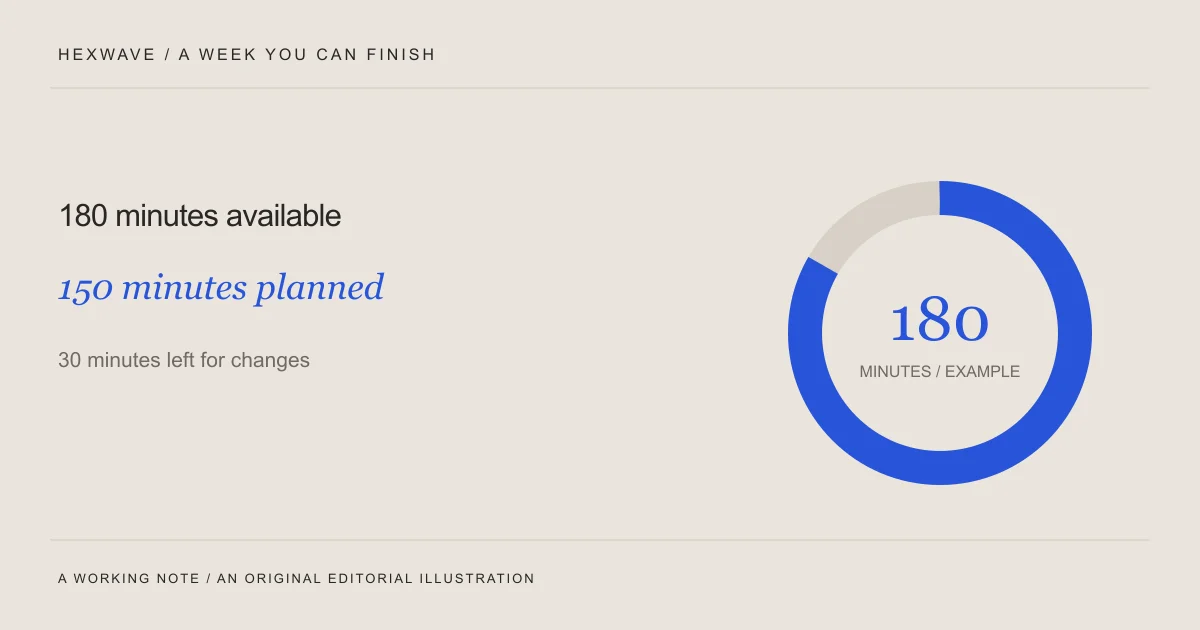
The scheduled work totals 150 minutes. The remaining 30 minutes are deliberately unassigned. They aren't a secret third post.
The plan may turn out to be too optimistic. That's information you'll use next week. What makes it usable now is that it names the work, the owners and the limit instead of treating two blank calendar cells as a production estimate.
For a physical product, replace the recording allowance with the actual setup and handling work. If the camera position changes several times or the sample needs assembly, don't assume the software team's estimate applies.
Put work sessions on the calendar before publication slots
The founder confirms the claims at the start of the week. The collaborator records both demos in one session and edits them while the setup is still fresh. The founder reviews the actual cuts before either receives a publishing slot.
That sequence matters. Scheduling publication for Tuesday morning and review for Tuesday afternoon creates a problem the calendar cannot solve.
Use a small set of plain statuses: idea, ready to make, in production, needs review, approved and scheduled. Record “published” only when you've checked the destination. If a step is waiting on an asset or a person, write that dependency beside it.
For each post, keep the brief, latest export and approval decision together. A folder containing three files called “final” should not require the person publishing to reconstruct a conversation from yesterday.
You can organize this in the free content calendar. Hexwave's planned calendar workflow is intended to bring review and scheduling into one place; the public version currently demonstrates that workflow.
Now take away half the time
Suppose a product issue absorbs 90 of the available 180 minutes. The easy response is to keep the two-post promise and squeeze every stage. The edit gets rushed, review becomes a glance and someone checks publication while answering a support message.
Change the plan while there is still time to make a useful post.
Choose the clearer of the two demonstrations. Reduce its scope to one visible action and use the existing screen-recording setup. An illustrative revised allowance is 15 minutes to finish the brief, 20 to capture, 20 to edit, 10 to review, 10 to prepare and verify publication, and five to record what happened. That's 80 minutes, leaving ten unassigned.
This isn't a trick for doing the original plan faster. The second post moves to the next week. Record that decision so it doesn't keep returning as an overdue task.
If even the smaller post requires missing footage, use a different asset you already have. An approved screenshot with a focused explanation may answer a customer question. It should earn its place through that answer, not through the need to fill a slot.
Prepare a fallback before you need one
A fallback post needs the same factual review as any other post. Its advantage is that the source material is ready.
Keep a short list of buyer questions that approved assets can answer: what's included in a package, where to find a setting, which model has a particular dimension, or how to interpret a screen. Attach the asset and the checked fact to each question.
Avoid calling this an emergency content bank and filling it with generic quotes. If the post could appear on any company's account, it probably isn't doing much for yours.
A fallback also has an expiry condition. A saved screenshot becomes unsuitable when the interface changes. An answer about availability needs checking when the offer changes. Review the small list often enough to know what you can still use.
Record the bottleneck rather than blaming the whole week
After production, compare the allowance with the work that happened. You don't need a sophisticated time tracker; rough notes made during the session are more useful than a confident reconstruction a month later.
If recording took much longer because the demo data wasn't ready, move that preparation earlier. If review found unsupported claims, improve the brief. If exporting or uploading consumed the time, inspect those steps before reducing the time allowed for thinking.
Also record what the content taught you about the audience. A repeated question might deserve a new post. A confusing response may indicate that the demonstration needs more context. Neither a quiet post nor a strong one tells you, by itself, whether the production schedule was sensible.
Changing the weekly output and the format at the same time makes the next comparison harder to interpret. Make the operational correction you can explain, then give it a fair chance to work.
Download the weekly capacity sheet, including the reduced-week example (.txt) ↓Keep a plan you can revise without starting over
The next week begins with the deferred brief, the real time notes and any new buyer questions. It doesn't begin with another thirty blank slots.
Choose a pace you can finish with review intact. If the process becomes easier and the work remains useful, add capacity deliberately. If it keeps borrowing time from product delivery, reduce the scope or arrange help for the step causing the problem.
The batch-production guide can help you group repeated setups. The content-pillars guide can help you check whether the resulting posts answer different questions.
For this week, reserve the work sessions first. Then give the posts dates you can defend.